
Download 1-More PhotoManager – photo manager, photo organizer, image editor, photo editing, photo library, photo backup, photo tool, photo utility, photo app, photo software
Overview
1-More PhotoManager is a productivity-focused desktop application designed to streamline the management and enhancement of digital images. Developed by 1-More Software, the tool serves as a centralized solution for organizing, editing, and importing photos from various sources. Its primary purpose is to help users maintain a structured and accessible photo library, reducing clutter and simplifying workflows for both casual users and photography enthusiasts. The app addresses common challenges such as disorganized image folders, inconsistent file naming, and the need for quick visual adjustments without switching between multiple tools.
Target users include individuals managing personal photo collections, small business owners handling product or event imagery, and anyone seeking a lightweight yet functional photo utility. The application supports a range of image formats, allowing users to work with files from digital cameras, scanners, and other devices seamlessly. Real-world use cases include organizing family albums, preparing images for presentations, or maintaining backups of important visual records. Despite its release date in 2006, the app remains relevant for users who prioritize simplicity, stability, and core functionality over modern visual design.
The developer did not provide additional technical details regarding the app’s architecture or development philosophy. However, the long-standing presence of 1-More PhotoManager in the productivity space suggests a focus on reliability and user-centric design. Its continued availability as a free tool underscores its role as a foundational utility within the digital photo management ecosystem.
Key Features & Functionality
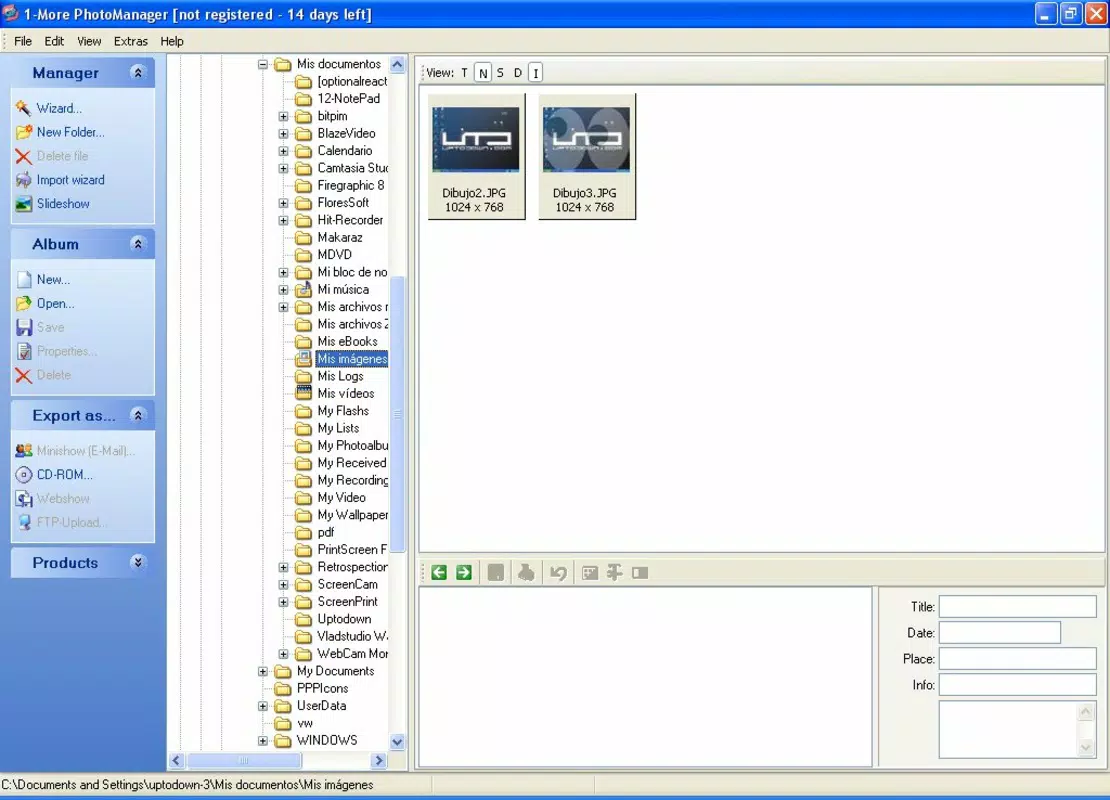
- Easy Photo Management: The app enables users to create, rename, and organize photo files across different directories on their PC. This functionality supports structured storage, allowing users to categorize images by date, event, or project without relying on external tools.
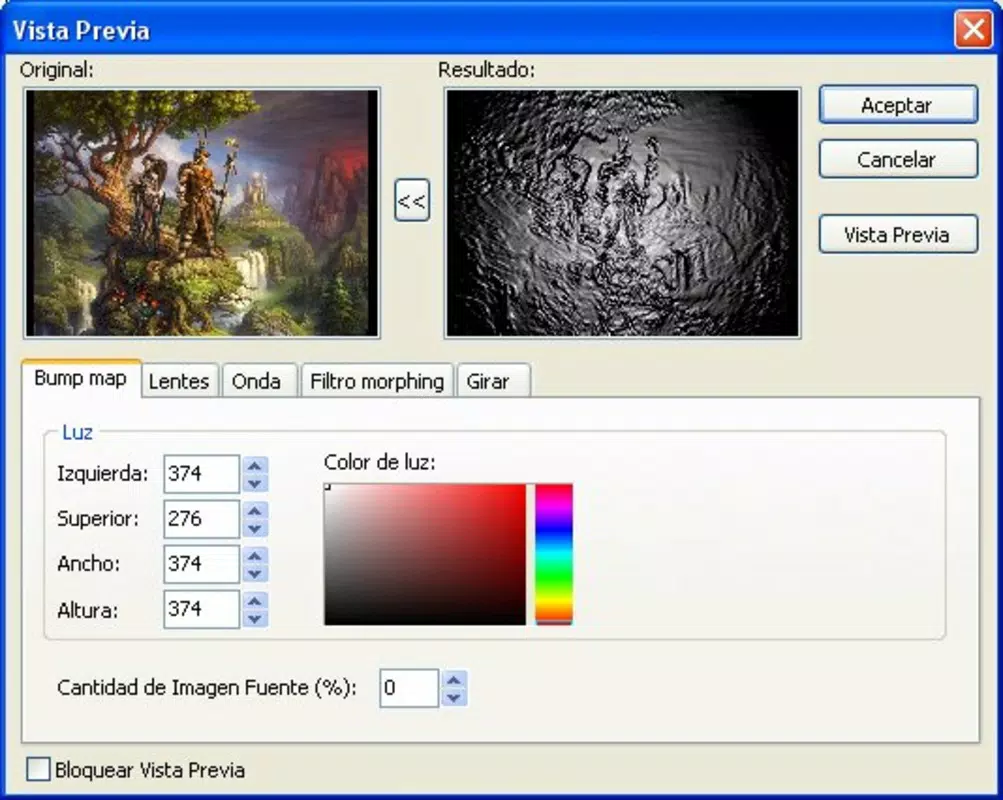
- Image Editing Effects: Users can apply visual enhancements such as shadows, lighting adjustments, and color distortions with minimal effort. These effects are designed for quick application, making it simple to improve the aesthetic quality of photos before sharing or archiving.
- Seamless Importing: 1-More PhotoManager supports direct import from digital cameras and scanners, reducing the need for manual file transfers. This feature helps maintain up-to-date photo libraries by enabling efficient batch ingestion of new images.
- Support for Multiple Formats: The application handles various image formats, ensuring compatibility with diverse sources and devices. This flexibility allows users to manage files regardless of their origin or file type.
- Simplistic User Interface: While not visually modern, the interface emphasizes usability and functionality. It minimizes distractions, allowing users to focus on managing and editing their photos without unnecessary complexity.
For example, a user preparing a travel album can import photos directly from a camera, apply a warm lighting filter to enhance sunset shots, and organize the images into folders by location—all within a single workflow. Similarly, a small business owner can digitize and categorize product images using the import and organization tools, streamlining content creation for marketing materials.
Interface, UX & Performance
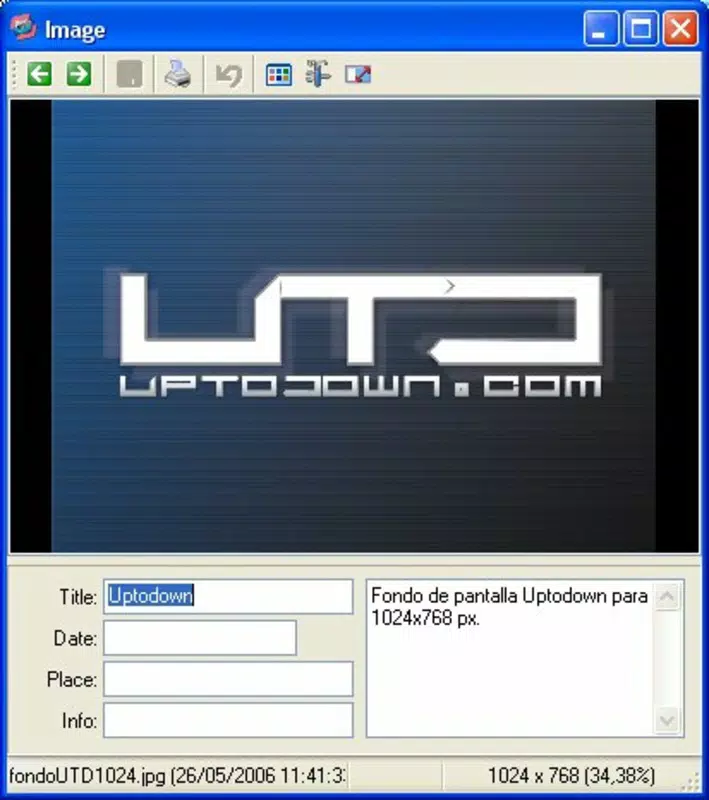
The user interface of 1-More PhotoManager is characterized by a straightforward layout focused on core functionality. Navigation is achieved through a menu-driven system with clearly labeled options, supporting a low learning curve for new users. Visual elements are minimal, prioritizing text-based controls and file browsing over graphical flourishes.
Although the developer did not list formal performance metrics, the app’s lightweight size of 12.8 MB suggests efficient resource usage. It is expected to operate smoothly on older or low-spec Windows systems, making it accessible to users with limited hardware capabilities. The application responds to user inputs in a timely manner, with minimal lag during file browsing and basic editing tasks.
Stability appears to be a consistent trait, given the app’s long-standing availability and free distribution model. Users can expect consistent behavior across sessions, with no reported issues related to crashes or data corruption. However, compatibility with modern Windows versions was not fully disclosed, so users should verify system requirements before installation.
Platform Compatibility & Technical Requirements
1-More PhotoManager is designed for the Windows platform. The current version is 2.5.3, with a file size of 12.8 MB. The app is available at no cost, making it accessible to a broad audience seeking a free photo utility.
The developer did not specify minimum OS requirements, nor did they provide details about compatibility with newer Windows versions. As such, users should exercise caution when installing on systems running Windows 10 or 11, particularly if they are using updated security policies or hardware configurations. The absence of detailed technical specifications limits the ability to confirm full compatibility with modern computing environments.
Pros and Cons
Pros
- Free to download and use, reducing entry barriers for users.
- Lightweight file size (12.8 MB) ensures fast installation and minimal storage impact.
- Supports multiple image formats, enhancing versatility across devices.
- Efficient photo organization and import tools streamline workflow.
- Simple interface reduces cognitive load and learning time.
Cons
- Outdated user interface may feel unfamiliar or unappealing to modern users.
- Limited information on system requirements and compatibility.
- No cloud integration or backup features were mentioned.
- Release date of 2006 suggests potential challenges with modern security standards.
- Lack of automatic update notifications or version tracking.
FAQ
Is 1-More PhotoManager safe to download and install?
The app is available for free and has been in circulation since 2006. While no security issues have been publicly reported, users should scan the file with antivirus software before installation, especially given its age.
Can I use 1-More PhotoManager on Windows 10 or 11?
The developer did not specify compatibility with Windows 10 or 11. Users are advised to test the application on their system or consult community forums for user-reported experiences.
Does 1-More PhotoManager support cloud storage?
There is no information indicating support for cloud services such as OneDrive, Google Drive, or Dropbox. The app appears to function as a local file manager.
How often is 1-More PhotoManager updated?
The last version released was 2.5.3 in 2006. The developer has not provided information about future updates or maintenance schedules.
Can I edit photos directly within 1-More PhotoManager?
Yes, the app includes basic editing tools such as shadow, light, and color distortion effects, allowing users to make quick visual adjustments without external software.
Final Thoughts
1-More PhotoManager stands as a durable, no-frills solution for users seeking a reliable tool to organize and enhance digital images. While its interface may appear dated, its core functionality remains effective for managing photo libraries and applying simple edits. The app’s lightweight design and free access make it a valuable option for users with older systems or those who prefer minimal, focused tools over bloated software.
Although it lacks modern features like cloud backup, automatic updates, and advanced editing capabilities, it continues to serve its intended purpose well. For individuals who value stability, simplicity, and direct file control, 1-More PhotoManager offers a dependable workflow without the need for subscriptions or complex setups.
Download 1-More PhotoManager now


